The calm AI IDE
Agents, every model, IDE-style shortcuts and plugins from Open VSX. The editor is free forever; AI comes with a paid plan.
Desktop builds for macOS, Windows and Linux are available now (Beta). Download →
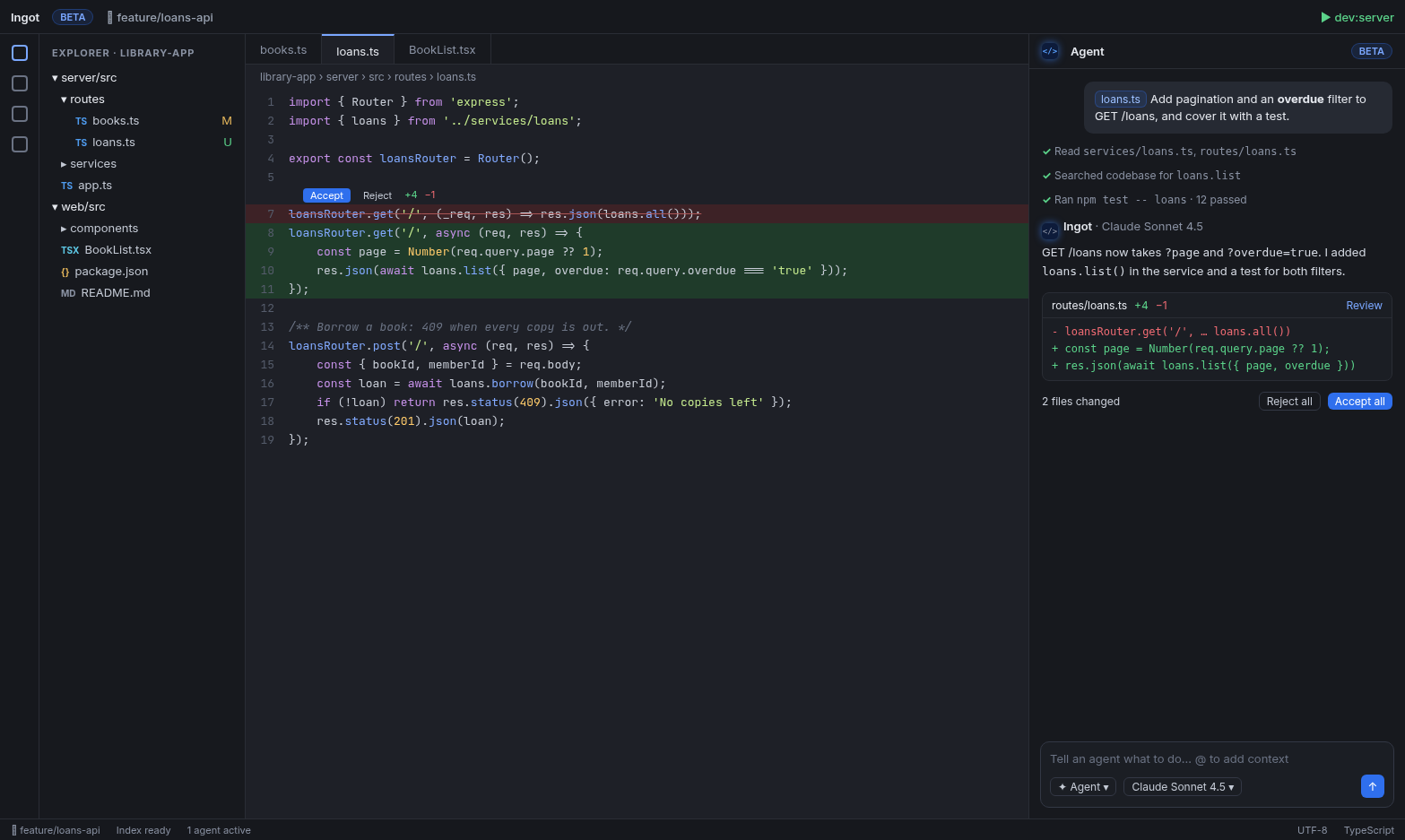
An agent that shows its work and waits for your yes
Talk to agents about real code. Paste lines and they become chips, edits arrive as reviewable change blocks, and you always see how much context is left.
- Inline chips. Copy lines from the editor and paste: you get a file + line-range chip in the sentence, not a wall of text. Images and @ mentions work the same way.
- Live code-change blocks. Edits stream in as a block per file. Accept or Reject each hunk in the chat or right in the editor, or the whole file at once.
- Five modes. Agent, Multi-agent, Ask, Plan and Debug. Each mode decides what the model may edit and which tools it may call. Cycle with ⌘.
- Context ring. A small ring shows how full the model window is, split into system, rules, files, memories and conversation. Near the limit, summarize and continue.
- Memories. Agents remember short facts and preferences between chats, per project or globally, as plain Markdown files you can edit.
IDE-grade Git, built in
The Git tools you reach for every hour, in tool windows and dialogs instead of a terminal.
- Commit window. Changelists, unversioned files, per-chunk include and exclude, amend, sign-off and message history. ⌘K to open.
- Push dialog. See exactly which commits go where before you push. ⇧⌘K.
- Annotate with Git Blame. Click the line-number gutter: date and author per line, shaded by age. Hover for the commit, click for details.
- Line history. Follow a line back to its first commit, annotate the previous revision or jump to the Git log.
- Three-pane merge. Yours | Result | Theirs with conflict navigation, and an AI proposal shown as a diff you can take or leave.
Connect your tools in one click
Agents get real context from the apps your team already uses through the Model Context Protocol.
- One-click servers. Pick a server from the marketplace and Ingot writes the config. Servers that sign in with OAuth open the browser once.
- Secrets stay in Ingot’s key file. Tokens go to Ingot’s local key file, ~/.ingot/keystore.json; mcp.json only keeps a placeholder, so it is safe to commit.
- Per project or global. Use .ingot/mcp.json in a project or ~/.ingot/mcp.json for every project. Existing mcp.json files are read as they are.
- GitHub
- GitLab
- Jira & Confluence
- Linear
- Slack
- Notion
- Figma
- Postgres
- Supabase
- Neon
- Sentry
- Vercel
- Stripe
- Resend
- Discord
- Google Drive
- Gmail
 Playwright
- Docker
- Filesystem
- Fetch
- Memory
Every model, one account
On a paid plan, sign in once and use hosted Ingot models with a clear monthly allowance, or bring your own keys and local models.
- Ingot Fast, Smart and Reasoning. Model aliases with a fallback chain behind them, so a provider outage does not stop your agent.
- Bring your own key. Claude, GPT, Gemini, DeepSeek or any chat-completions compatible endpoint, on every paid plan and billed by your provider. Keys are encrypted at rest.
- Local models. On any paid plan, point Ingot at Ollama and keep everything on your machine.
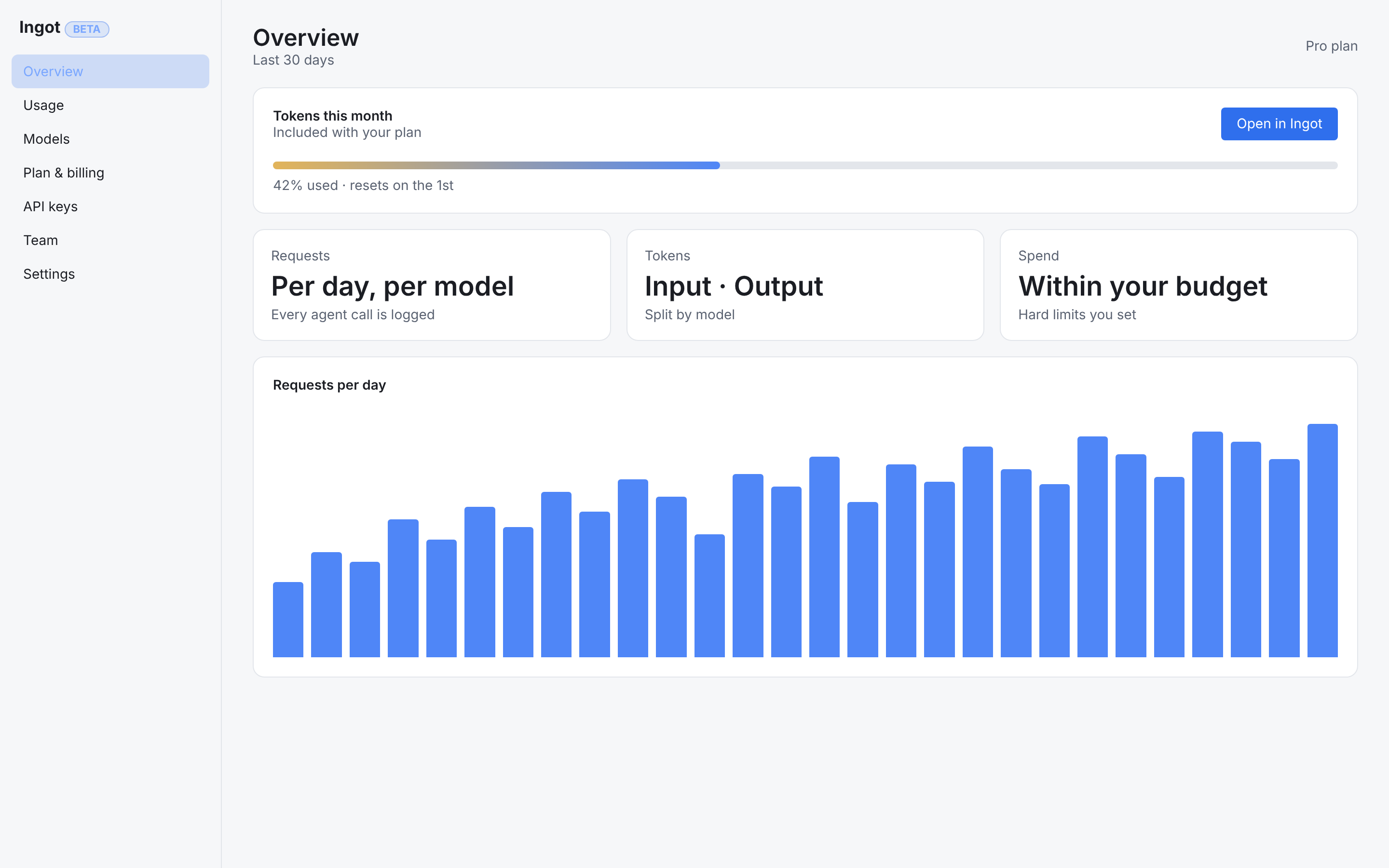
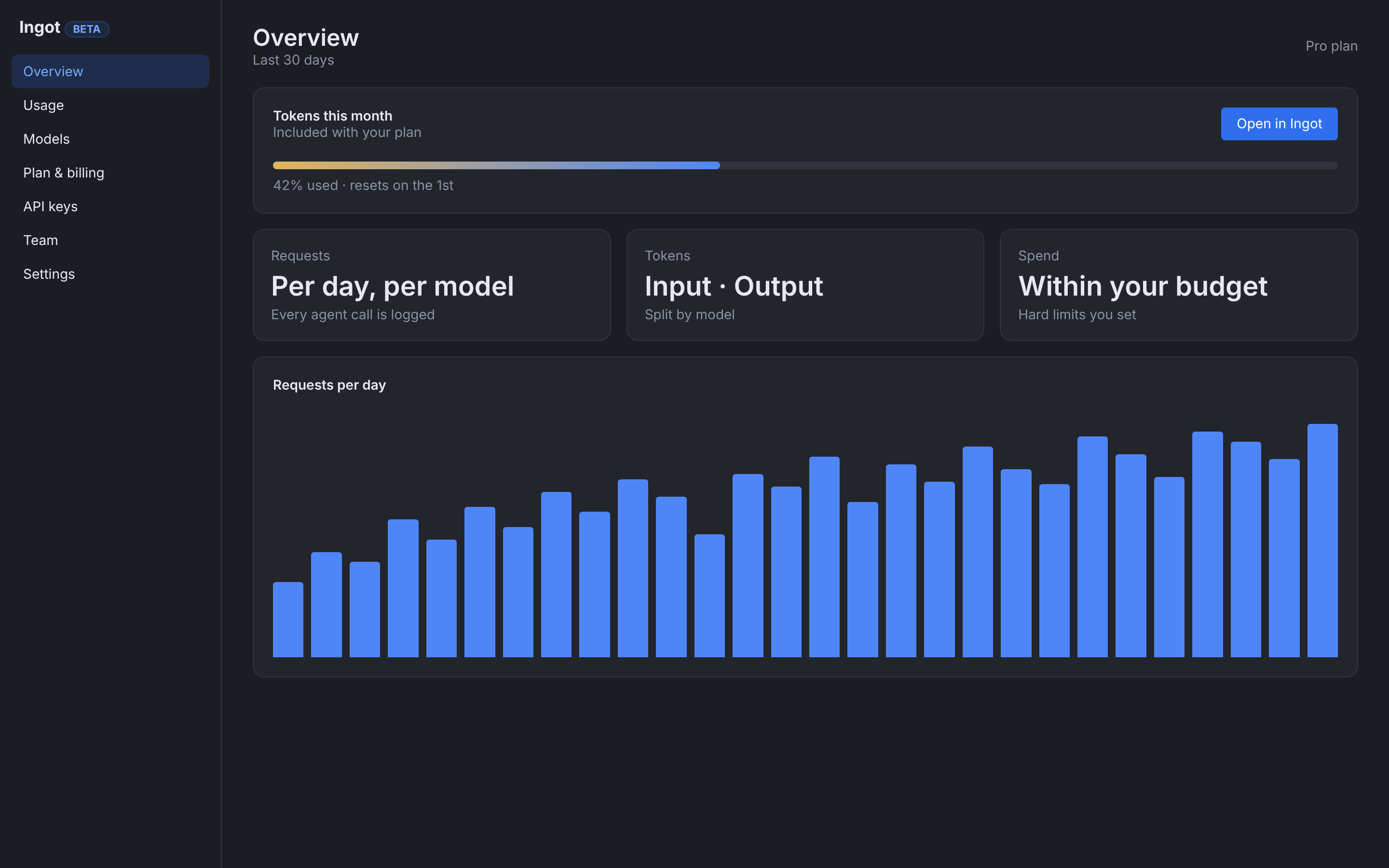
- Usage you can see. Tokens left in the status bar; requests, tokens and spend per day and model in this dashboard.
Your windows, your way
A compact IDE layout with tool windows on stripes. Put the agent chat where it fits your screen.
- Chat right or bottom. Settings › Appearance › Layout, View › Layout, or right-click the chat header. Saved as a preference.
- Tool windows. Project, Commit, Git log, Terminal, Agents, MCP and more open from the side stripes and remember their size.
- Light, Dark or System. Follows your OS live. Import color themes and icon themes from Open VSX.
- IDE-style keymap. Double Shift for Search Everywhere, ⌘⇧A for Find Action, or switch to the platform’s standard shortcuts.

Ingot vs other AI editors vs classic IDEs
| Feature | Ingot | Other AI editors | Classic IDEs |
|---|---|---|---|
| Bring any modelHosted aliases, your own keys or any compatible endpoint, side by side in one picker. | Yes | Varies | Via plugin |
| Free editor, no cardThe full editor, Git, terminal, debugger and extensions on the Free plan; AI features need a paid plan. | Yes | Varies | Varies |
| Agent edits with per-hunk reviewAccept or reject each hunk in the chat or inline in the editor. | Yes | Yes | Via plugin |
| IDE-grade GitCommit and push windows, annotate / blame, line history, three-pane merge. | Yes | Varies | Yes |
| MCP marketplaceOne-click servers with secrets kept in Ingot’s local key file. | Yes | Varies | Via plugin |
| Signed installers and auto-updateDesktop builds for macOS, Windows and Linux; signed auto-update comes next. | Coming soon | Yes | Yes |
Shape your code with Ingot
Every model, your shortcuts. Download the desktop app and get started today.